- JavaScript 73.3%
- CSS 20.1%
- HTML 6.5%
| .github | ||
| .vscode | ||
| _locales | ||
| addon-api | ||
| addons | ||
| addons-l10n | ||
| background | ||
| content-scripts | ||
| images | ||
| libraries | ||
| popups | ||
| webpages | ||
| .editorconfig | ||
| .gitattributes | ||
| .gitignore | ||
| .prettierignore | ||
| .prettierrc.json | ||
| eslint.config.mjs | ||
| LICENSE | ||
| manifest.json | ||
| README.md | ||

 [WIP] Chipmunk Addons
*Not actually made by Chipmunk
Scratch Addons, modified to work with <ww.scr.chipmunk.land> (R2 not supported).
Installation
In all cases, you'll have to clone the repo:
git clone https://code.chipmunk.land/heathercat123/ScratchAddons.git
After that:
On Firefox Nightly, Firefox Developer Edition, Librewolf, probably also r3dfox and forks
Open about:config in your web browser, ignore the warning, search for xpinstall.signatures.required and set it to false, creating it if it doesn't exist. Then, go back to your file browser, compress every file in the cloned repo into a ZIP, and rename that ZIP to ChipmunkAddons.xpi. You can now drag that file into your web browser to install it.
On regular Firefox
Since modern Firefox is, well, modern Firefox, there is no easy way to install unsigned extensions permenently. There might be some cursed way to do it that I'm not aware of though. A guide on how to install it until the browser closes can be found here, on the Scratch Addons website.
On Chrome/Chromium/Edge
A guide on how to install it permanently can be found here, on the Scratch Addons website.
On Safari/Webkit/GNOME Web
Scratch Addons doesn't currently support Safari, though there is a dead pull request aiming to support it.
 Original README.MD





About
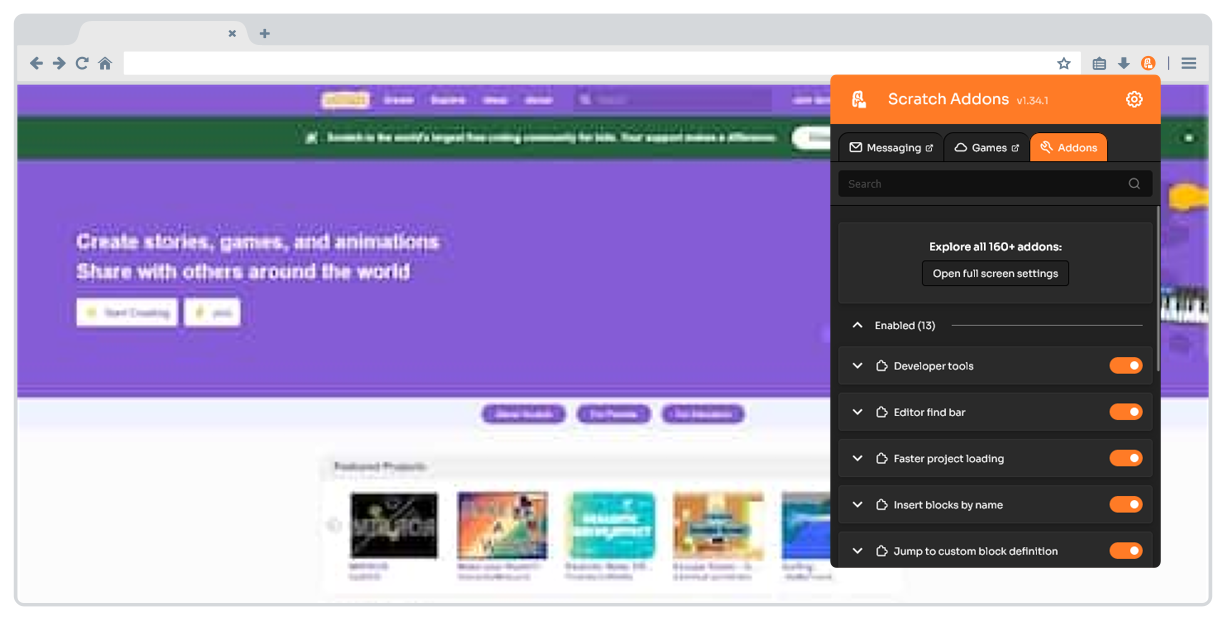
Scratch Addons combines new and existing features and themes for the Scratch website and project editor into one easy-to-access and configurable browser extension. The mission is to provide a centralized, up-to-date platform for community development of new features and themes for Scratch.
About addons
An addon mainly consists of one or more userscripts (written in JavaScript) or userstyles (written in CSS) that run on the Scratch website or project editor.
Each addon declares its own addon manifest (addon.json file). This file specifies under which circumstances each one of its userscripts and userstyles should be injected into the page. It also contains user-facing information, such as the description of the feature, and information about the addon's settings.
Userscripts work similarly to extension content scripts running in the "main world" (the unprivileged context where chrome.* extension APIs are not available). Userscripts have access to addon.* APIs. They can use these built-in utilities for various purposes: waiting until a certain element exists on the page, listening to settings change events, getting a reference to the Scratch VM object, etc.
Addons are designed to be compatible with each other. They are also developed with performance, internationalization, accessibility, and privacy in mind.
Read the documentation for more information about addons.
About the extension
The Scratch Addons browser extension provides a settings page where users can enable, disable and configure addons. The extension interprets addon manifests, stores the user's settings, and provides APIs to userscripts. A new version of the extension is released to the stores regularly with new addons and features.
Addons beyond the Scratch Addons browser extension
Other open-source projects (such as Scratch forks) can also make use of the addons. For example, the TurboWarp and Adacraft project editors allow you to use most of the editor addons without installing browser extensions, and even while offline (TurboWarp Desktop).
File structure
Addons
addons-l10n: Translation for addon strings (one file per addon).addon-api: Implementation of theaddon.*JavaScript APIs.addons: Each addon has its own directory, which must include an addon manifest file namedaddon.json.libraries: Third-party libraries and other utilities, some of which are used by addons.
Others
.github: GitHub templates, workflows, and contributing files._locales: Translation strings for the browser extension (excluding addons).background: Background scripts for the extension.content-scripts: Content scripts, which among other things, execute userscripts and inject userstyles to the page.images: Logos, screenshots and icons (excluding addon-specific images).popups: Addon pages that are only accessible through the extension popup (for example, Scratch Messaging).webpages: The settings page, extension popup, and other pages.
Installation
No building is required. The best way to download the source is with Git:
git clone https://github.com/ScratchAddons/ScratchAddons.git
For browser support information and other installation methods, check the documentation.
Loading the extension (Chrome)
To load the extension into most Chromium-based browsers, go to chrome://extensions, turn on developer mode, click "Load unpacked", and select the ScratchAddons folder.
Loading the extension (Firefox)
Go to about:debugging, select "This Firefox", click "Load Temporary Add-on...", and select the manifest.json file in the ScratchAddons folder.
Note
Firefox extensions loaded this way are removed when the browser is closed.
Contributing
Suggestions and bug reports
If you found a bug or have a suggestion create an issue after checking for duplicates. Alternatively, you can use our feedback page instead.
If you found a security vulnerability, please follow the instructions in our Security Policy instead.
Code
Before contributing code, please read our contributing guidelines.
We recommend using Visual Studio Code as the code editor.
Translations
Translations are handled by Transifex. If you are interested in translating the extension, read Joining the Localization Team.
Documentation
The Scratch Addons Docs are available at https://scratchaddons.com/docs/.
Most of the documentation is located in website-v2 (repository of the ScratchAddons.com website) in the /content/docs directory.
License
Scratch Addons is licensed under the terms of the GNU General Public License v3.0.
Other third-party libraries used are listed on /libraries/README.md.